
Setting Up a Hotline
A hotline gives your guests or customers a dedicated phone number to call when they need help. Calls are answered by a voice AI Colleague, which can answer questions, provide information, and escalate to your team when needed. This guide covers how hotlines are allocated per plan and how to create your first one.
Estimated time: 5 minutes
How many hotlines do I get?
Each hotline includes one dedicated phone number. The number of hotlines available depends on your plan:
| Plan | Hotlines included | Need more? |
|---|---|---|
| Starter | 1 included | Upgrade to Team |
| Team | 2 included | Talk to us about Enterprise |
| Enterprise | 3 or more | Custom terms |
During the free trial, you can set up one hotline to test the full guest call flow. Additional hotlines are available after upgrading to a paid plan.
Phone numbers
Each hotline gets one dedicated phone number. Numbers are provisioned directly from the Ops → Customer Help → Phone Numbers page — no external provider account required.
Available countries: Poland · United Arab Emirates · United States · Germany
Before you start
- •You have an active Enhanced Rentals workspace.
- •You have Admin access in your workspace.
- •Your plan includes at least one hotline slot (see the plan table above).
Go to the Phone Numbers page
In the left sidebar, navigate to Ops → Customer Help → Phone Numbers. This page shows all phone numbers provisioned for your workspace.
Purchase a phone number
Click Purchase Number. A dialog will open where you can choose the country for your phone number.
Available countries:
- Poland
- United Arab Emirates
- United States
- Germany
Select your country and a list of available numbers will appear. Click Purchase this number next to the one you want.
Go to the Hotlines settings page
Once you have a phone number, navigate to Settings → Hotlines. Here you create hotlines that link a phone number to a voice AI Colleague.
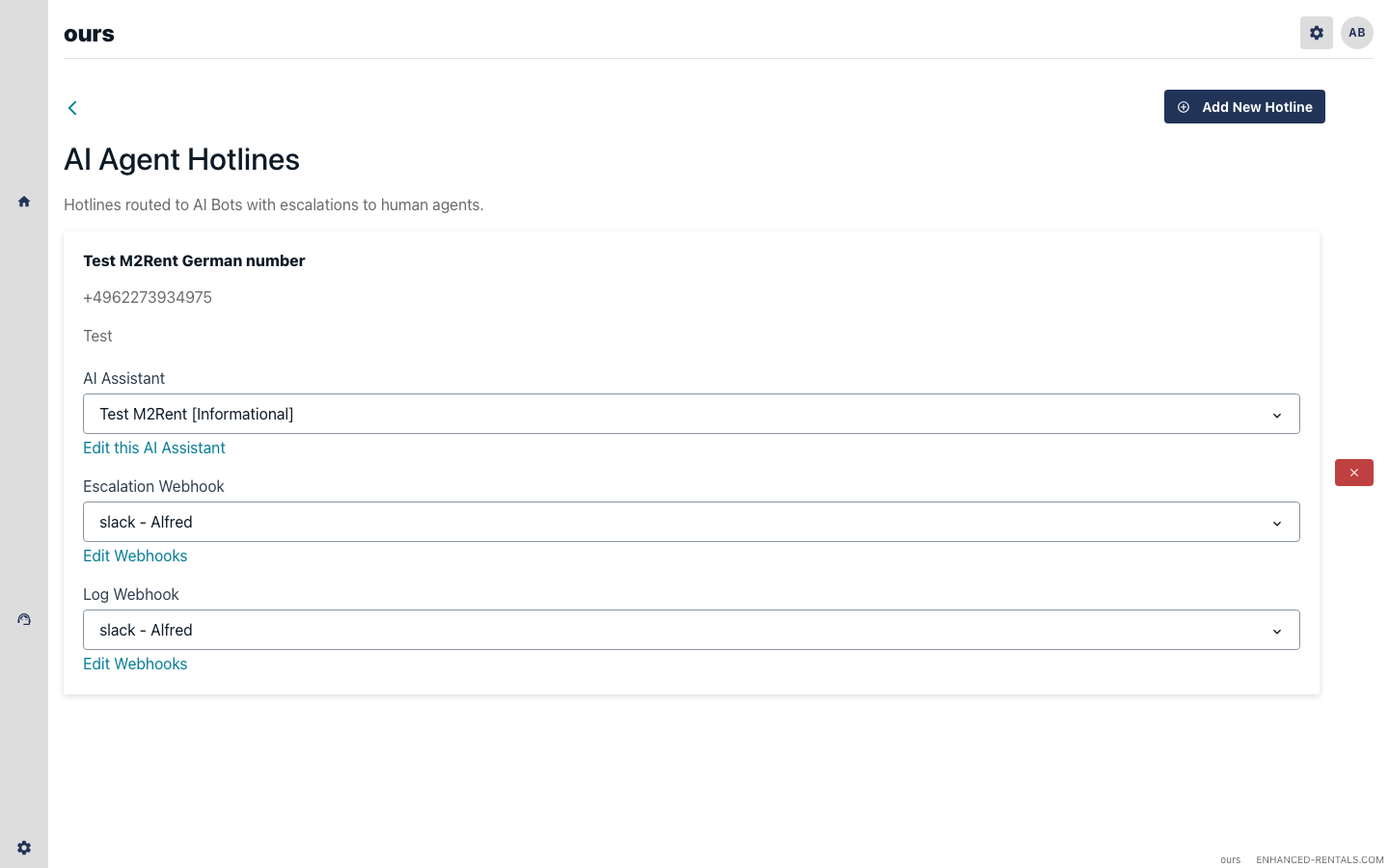
Create a new hotline
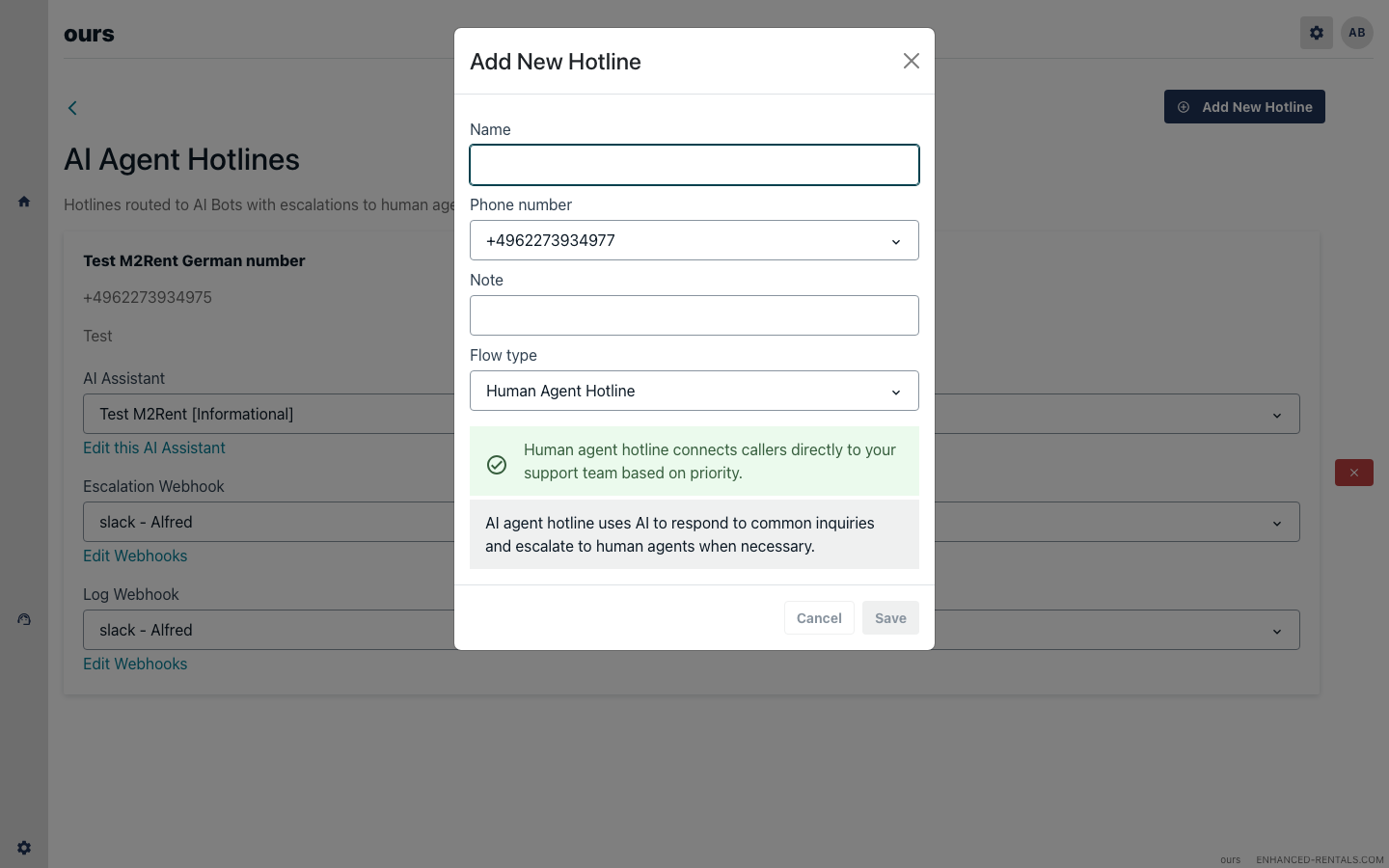
Click Add Hotline. A dialog will appear where you configure:
- Name — an internal label (e.g. Villa Luna Hotline).
- Phone number — select the number you purchased in Step 2.
- Language — the language your voice AI Colleague will use when speaking to callers.
Share the number with your guests
Once the hotline is active, share the phone number with guests in your check-in instructions. For example:
“If you need assistance during your stay, please call our guest support line: +48 XX XXX XX XX”
You can add this to your Hostaway message templates, your property description, or your check-in email.
Troubleshooting
No numbers are available in my country
Number availability varies by country and may be temporarily limited. If no numbers are available, try a different country or contact support@enhanced-rentals.com and we'll help you find an alternative.
I've reached my hotline limit
Starter includes 1 hotline, Team includes 2. Need more than 2? Talk to us about Enterprise from Settings → Billing.
Callers hear no response or a disconnected tone
Ensure the hotline has a phone number assigned and the voice AI Colleague associated with it is enabled. If the issue persists, contact support.